I got a Lenovo ThinkPad W510 from 2010 with empty HDD. Here I describe how I got Debian GNU/Linux (stable) to run on it. Since my last report from June 2014 about installing Debian Wheezy some things turned for the better.
Get files
- download Debian Netinst
- download Universal USB Installer aka UUI
- run UUI and put the Debian ISO on an USB flash memory
- network hardware is well recognized but firmware file
iwlwifi-6000-4.ucodeis missing; I found firmware-iwlwifi_0.43_all.deb at packages.debian.org and put it on the USB flash memory (folderfirmware), too.
Install Debian
- boot W510 with USB flash memory
- choose
install - … get coffee… (and press
ENTERa few times)
After first boot
SSH
Edit /etc/ssh/sshd_config
from PermitRootLogin yes
to PermitRootLogin no
Fingerprint sensor
sudo apt-get install -y libpam-fprintd && fprintd-enrollTrackPoint
ThinkWIKI: Middle key for scrolling
sudo apt-get install xinput
gedit ~/.xsessionrc
# START TrackPoint
# http://www.thinkwiki.org/wiki/How_to_configure_the_TrackPoint
# try: xinput list-props "TPPS/2 IBM TrackPoint"
# To enable vertical scrolling
xinput set-prop "TPPS/2 IBM TrackPoint" "Evdev Wheel Emulation" 1
xinput set-prop "TPPS/2 IBM TrackPoint" "Evdev Wheel Emulation Button" 2
xinput set-prop "TPPS/2 IBM TrackPoint" "Evdev Wheel Emulation Timeout" 200
# To enable horizontal scrolling in addition to vertical scrolling
xinput set-prop "TPPS/2 IBM TrackPoint" "Evdev Wheel Emulation Axes" 6 7 4 5
#To enable middle button emulation (using left- and right-click simultaneously)
#xinput set-prop "TPPS/2 IBM TrackPoint" "Evdev Middle Button Emulation" 1
#xinput set-prop "TPPS/2 IBM TrackPoint" "Evdev Middle Button Timeout" 50
# END TrackPointGraphics driver
sudo apt-get install -y nvidia-driver nvidia-xconfig
sudo nvidia-xconfig
sudo gedit /etc/X11/xorg.conf
Add to Section "Device"
 # Disables Nvidia logo
 Option         "NoLogo" "true"
 # Fix Large fonts
 Option          "DPI" "96 x 96"
 # Power saving setting for Nvidia drivers
 Option         "OnDemandVBlankInterrupts" "1"
 # Enables overclocking gui
 Option         "Coolbits" "1"
 # Enable brightness keys
 Option         "RegistryDwords" "EnableBrightnessControl=1"
Reboot:
sudo shutdown -r nowChange the boot console’s resolution from 600x480 (I think) (resulting in huge letters and less information per screen) to something nicer. But native screen resolution 1920x1080 does not work:
Edit /etc/default/grub
from #GRUB_GFXMODE=640x480
to GRUB_GFXMODE=1280x800
Edit /etc/grub.d/00_header
from set gfxmode=${GRUB_GFXMODE}
to set gfxmode=${GRUB_GFXMODE}
set gfxpayload=keep
Fix this with
sudo update-grubWWAN and GPS
This all does not really work well… :-(
Install Qualcomm Gobi 2000 like described at ThinWiki:
Get Windows driver from Lenovo and install in Windows VM. Then copy files from Windows VM to host:
md5sum *
691a4da480076e239e8bfcfcd817d0de  amss.mbn
661249ddae2b63e2eaac93594a21e409  apps.mbn
cbae9a769f459b77910c2bbdf8a8c464  UQCN.mbn

sudo mkdir -p /lib/firmware/gobi
sudo cp *.mbn /lib/firmware/gobi/
sudo apt-get install gobi-loader
sudo shutdown -r now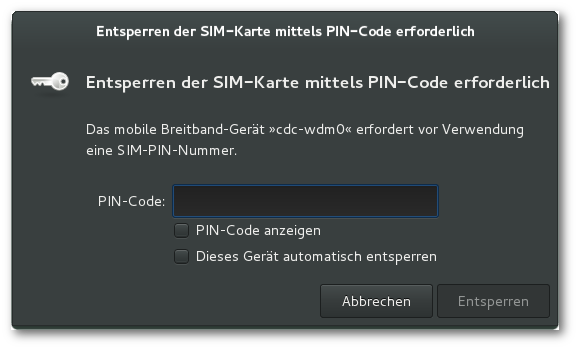
sudo adduser $(whoami) dialout
exec su -l $USER
echo "\$GPS_START" > /dev/ttyUSB2
gpscat /dev/ttyUSB2
Edit /usr/share/polkit-1/actions/org.freedesktop.ModemManager1.policy:
Change auth_self_keep in
  <action id="org.freedesktop.ModemManager1.Device.Control">
    <description>Unlock and control a mobile broadband device</description>
    <description xml:lang="de">Ein mobiles Breitbandgerät entsperren und steuern</description>
    <description xml:lang="uk">Розблокувати пристрій мобільної широкосмугової мережі і керувати ним</description>
    <message>System policy prevents unlocking or controlling the mobile broadband device.</message>
    <message xml:lang="de">Die Systemrichtlinien verhindern das Entsperren oder Steuern des mobilen Breitbandgerätes.</message>
    <message xml:lang="uk">Правила системи забороняють розблокування і керування пристроями широкосмугових мобільних мереж.</message>
    <defaults>
      <allow_inactive>no</allow_inactive>
      <allow_active>auth_self_keep</allow_active>
    </defaults>
  </action>
to yes:
  <action id="org.freedesktop.ModemManager1.Device.Control">
    <description>Unlock and control a mobile broadband device</description>
    <description xml:lang="de">Ein mobiles Breitbandgerät entsperren und steuern</description>
    <description xml:lang="uk">Розблокувати пристрій мобільної широкосмугової мережі і керувати ним</description>
    <message>System policy prevents unlocking or controlling the mobile broadband device.</message>
    <message xml:lang="de">Die Systemrichtlinien verhindern das Entsperren oder Steuern des mobilen Breitbandgerätes.</message>
    <message xml:lang="uk">Правила системи забороняють розблокування і керування пристроями широкосмугових мобільних мереж.</message>
    <defaults>
      <allow_inactive>no</allow_inactive>
      <allow_active>yes</allow_active>
    </defaults>
  </action>
Troubleshooting lost WWAN:
sudo rm /etc/NetworkManager/system-connections/1\&1\ Mobile\ Broadband && sudo service network-manager restart…and click through creating new conection.
Second SSD
… in a Serial Ultrabay Enhanced second Hard Disk Caddy
What is the UUID of the SDD?
sudo blkid=> /dev/sdb1: UUID="12345678-9abc-def0-1234-56789abcdef0" TYPE="ext4" PARTUUID="abc123de-f0"
Create mount point
sudo mkdir /media/ultrabayAutomatic mount at boot
sudo gedit /etc/fstab # SSD in UltraBay
UUID=12345678-9abc-def0-1234-56789abcdef0 /media/ultrabay ext4 defaults 0 2
sudo mount -aMore about SSDs
I have two SSDs. Mount option noatime or relatime is recommended. Nothing to care about as this is default:
$ cat /proc/mounts | grep /sd
/dev/sda1 / ext4 rw,relatime,errors=remount-ro,data=ordered 0 0
/dev/sdb1 /media/ultrabay ext4 rw,relatime,data=ordered 0 0
Weekly trim is recommended (e. g. c’t 3/2016 p. 97). Do we already have it enabled?
$ systemctl status fstrim.timer
● fstrim.timer
   Loaded: not-found (Reason: No such file or directory)
   Active: inactive (dead)
Nope. Can we enable it?
$ sudo systemctl enable fstrim.timer
Failed to execute operation: No such file or directory
Nope but wiki.debian.net helps:
$ sudo cp /usr/share/doc/util-linux/examples/fstrim.{service,timer} /etc/systemd/system
$ sudo systemctl enable fstrim.timer
Created symlink from /etc/systemd/system/multi-user.target.wants/fstrim.timer to /etc/systemd/system/fstrim.timer.
$ systemctl status fstrim.timer
● fstrim.timer - Discard unused blocks once a week
   Loaded: loaded (/etc/systemd/system/fstrim.timer; enabled)
   Active: inactive (dead)
     Docs: man:fstrim
SDXC
Trying to mount a SDXC card (SanDisk Ultra 128GB) results in an error message mentioning the unknown filesystem type ‘exfat’:
Error mounting /dev/mmcblk0p1 at /media/xxx/6661-6131: Command-line `mount -t "exfat" -o "uhelper=udisks2,nodev,nosuid,uid=1000,gid=1000,iocharset=utf8,namecase=0,errors=remount-ro,umask=0077" "/dev/mmcblk0p1" "/media/xxx/6661-6131"' exited with non-zero exit status 32: mount: unknown filesystem type 'exfat'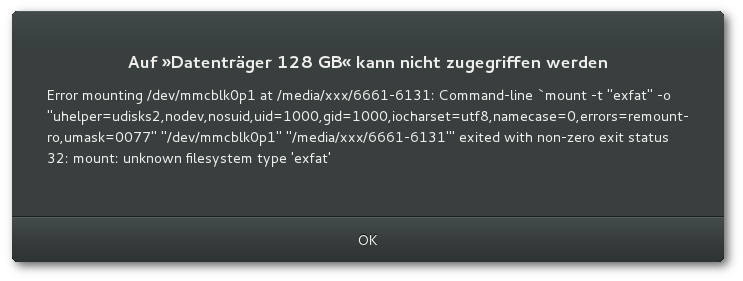
Solution: exfat-utils
sudo apt install exfat-utilsSoftware
Enigmail
Troubleshoot with this hint from Enigmail Support:
… how to disable gnome keyring on Ubuntu-based systems. Type these two commands in a Terminal window:
mv /etc/xdg/autostart/gnome-keyring-ssh.desktop /etc/xdg/autostart/gnome-keyring-ssh.desktop.disabled
mv /etc/xdg/autostart/gnome-keyring-gpg.desktop /etc/xdg/autostart/gnome-keyring-gpg.desktop.disabled
Also, put the following line:
use-agent
into your ~/.gnupg/gpg.conf
Afterwards log out and log in again.
diverse
sudo apt-get install keepassx rdesktop p7zip p7zip-rar iotop iftop lm-sensors
sudo apt-get install network-manager-vpnc network-manager-vpnc-gnome vpnc
Back in time (German article at heise)
sudo apt-get install backintime-gnomeR
add
deb https://cran.uni-muenster.de/bin/linux/debian jessie-cran3/to /etc/apt/sources.list.
gpg --keyserver pgpkeys.mit.edu --recv-key 06F90DE5381BA480
gpg -a --export 06F90DE5381BA480 | sudo apt-key add -
sudo apt-get install apt-transport-https
sudo apt-get update
sudo apt-get install r-base r-base-dev libproj-dev libgdal-dev
Other
Some nice Gnome Extensions