# Install mpapis public key (might need `gpg2` and or `sudo`)

gpg --keyserver hkp://keys.gnupg.net --recv-keys 409B6B1796C275462A1703113804BB82D39DC0E3

# Download the installer

wget https://raw.githubusercontent.com/rvm/rvm/master/binscripts/rvm-installer
wget https://raw.githubusercontent.com/rvm/rvm/master/binscripts/rvm-installer.asc

# Verify the installer signature (might need `gpg2`), and if it validates...

gpg --verify rvm-installer.asc

# Run the installer

bash rvm-installer stable
# before

ruby -v
which ruby
# install

rvm install 2.2
rvm use --default 2.2
# after

ruby -v
which ruby
Add to ~/.bash_profile:
export PATH="$PATH:$HOME/.rvm/bin"# Add RVM to PATH for scripting
[[ -s "$HOME/.rvm/scripts/rvm"]]&&source"$HOME/.rvm/scripts/rvm"# Load RVM into a shell session *as a function*
run UUI and put the Debian ISO on an USB flash memory
network hardware is well recognized but firmware file iwlwifi-6000-4.ucode is missing;
I found firmware-iwlwifi_0.43_all.deb
at packages.debian.org and put it on the USB flash memory (folder firmware), too.
Install Debian
boot W510 with USB flash memory
choose install
… get coffee… (and press ENTER a few times)
After first boot
SSH
Edit /etc/ssh/sshd_config
from PermitRootLogin yes
to PermitRootLogin no
 # Disables Nvidia logo
 Option         "NoLogo" "true"
 # Fix Large fonts
 Option          "DPI" "96 x 96"
 # Power saving setting for Nvidia drivers
 Option         "OnDemandVBlankInterrupts" "1"
 # Enables overclocking gui
 Option         "Coolbits" "1"
 # Enable brightness keys
 Option         "RegistryDwords" "EnableBrightnessControl=1"
Reboot:
sudo shutdown -r now
Change the boot console’s resolution from 600x480 (I think) (resulting in huge letters and less information per screen) to something nicer. But native screen resolution 1920x1080 does not work:
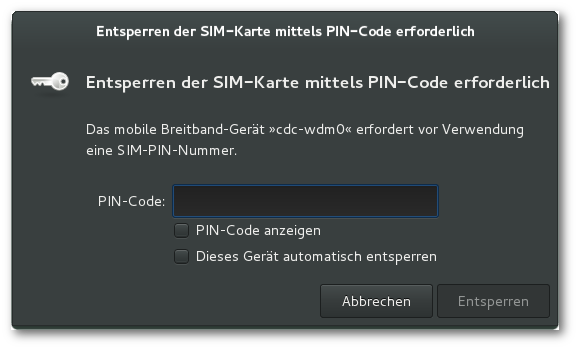
<actionid="org.freedesktop.ModemManager1.Device.Control"><description>Unlock and control a mobile broadband device</description><descriptionxml:lang="de">Ein mobiles Breitbandgerät entsperren und steuern</description><descriptionxml:lang="uk">Розблокувати пристрій мобільної широкосмугової мережі і керувати ним</description><message>System policy prevents unlocking or controlling the mobile broadband device.</message><messagexml:lang="de">Die Systemrichtlinien verhindern das Entsperren oder Steuern des mobilen Breitbandgerätes.</message><messagexml:lang="uk">Правила системи забороняють розблокування і керування пристроями широкосмугових мобільних мереж.</message><defaults><allow_inactive>no</allow_inactive><allow_active>auth_self_keep</allow_active></defaults></action>
to yes:
<actionid="org.freedesktop.ModemManager1.Device.Control"><description>Unlock and control a mobile broadband device</description><descriptionxml:lang="de">Ein mobiles Breitbandgerät entsperren und steuern</description><descriptionxml:lang="uk">Розблокувати пристрій мобільної широкосмугової мережі і керувати ним</description><message>System policy prevents unlocking or controlling the mobile broadband device.</message><messagexml:lang="de">Die Systemrichtlinien verhindern das Entsperren oder Steuern des mobilen Breitbandgerätes.</message><messagexml:lang="uk">Правила системи забороняють розблокування і керування пристроями широкосмугових мобільних мереж.</message><defaults><allow_inactive>no</allow_inactive><allow_active>yes</allow_active></defaults></action>
Troubleshooting lost WWAN:
sudo rm /etc/NetworkManager/system-connections/1\&1\ Mobile\ Broadband && sudo service network-manager restart
…and click through creating new conection.
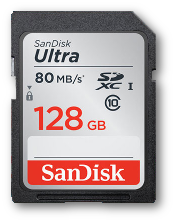
Second SSD
… in a Serial Ultrabay Enhanced second Hard Disk Caddy
A simple demonstration shall show how effortless memory analysis can be when starting out with a Windows target.
There are numerous approaches to acquiring a Windows PC’s memory.
For RAM up to 4 GB Inception [1] is a noteworthy tool for hardware-based acquisition.
It exploits PCI-based DMA.
That means it can attack over any PCI/PCIe interfaces such as FireWire or Thunderbolt, etc. and has full read/write access to the lower 4 GB of RAM on the victim’s computer.
In addition, Volatility itself supports acquisition and interrogation of memory over FireWire [2, pg. 79].
The Volatility project lists 10 software-based acquisition tools [2, pg. 79 et seqq.].
Most of them are commercial.
We demonstrate how straightforward the process is using the freely available MoonSols DumpIt [3] on a Windows 7 computer.
DumpIt is a single executable which can be saved to a USB flash memory drive.
Once inserted into the target computer’s USB port, the DumpIt executable can be run.
After confirming the Windows 7 UAC security question,
the program writes a memory dump to the flash drive.
DumpIt - v1.3.2.20110401 - One click memory memory dumper
Copyright (c) 2007 - 2011, Matthieu Suiche <http://www.msuiche.net>
Copyright (c) 2010 - 2011, MoonSols <http://www.moonsols.com>


Address space size:        2147418112 bytes (   2047 Mb)
Free space size:         171407523840 bytes ( 163466 Mb)

* Destination = \??\E:\WIN7-20141225-222255.raw

--> Are you sure you want to continue? [y/n] y
+ Processing... Success.
Volatility can analyze the data straightaway.
Just by using this dump Volatility can determine the Windows version and propose the correct profile.
The command python vol.py --info lists about 30 profiles for the different major versions of Windows.
$ python vol.py -f ~/tmp/WIN7-20141225-222255.raw imageinfo
Volatility Foundation Volatility Framework 2.4
Determining profile based on KDBG search...

          Suggested Profile(s) : Win7SP0x86, Win7SP1x86
                     AS Layer1 : IA32PagedMemoryPae (Kernel AS)
                     AS Layer2 : FileAddressSpace (/tmp/WIN7-20141225-222255.raw)
                      PAE type : PAE
                           DTB : 0x185000L
                          KDBG : 0x8296ec30
          Number of Processors : 1
     Image Type (Service Pack) : 1
                KPCR for CPU 0 : 0x8296fc00
             KUSER_SHARED_DATA : 0xffdf0000
           Image date and time : 2014-12-25 22:23:03 UTC+0000
     Image local date and time : 2014-12-25 23:23:03 +0100
$ python vol.py -f ~/tmp/WIN7-20141225-222255.raw --profile Win7SP1x86 pslist
Volatility Foundation Volatility Framework 2.4
Offset(V)  Name           PID  PPID Thds Hnds Sess Wow64 Start                        Exit
0x84a3c630 System            4    0   88  553   -1     0 2014-12-25 20:12:19 UTC+0000
0x85ede380 smss.exe        288    4    2   29   -1     0 2014-12-25 20:12:19 UTC+0000
0x865227a0 csrss.exe       368  360    9  432    0     0 2014-12-25 20:12:20 UTC+0000
<snip>
Though this demonstration was quite simple, it is important to note that several requirements had to be met:
physical access to the computer
access to the \ac{UI}
administrator privileges
The examiner requires at minimum physical access to the computer.
That is the USB port if a USB flash drive is used as well as an input device—usually a keyboard and/or a mouse—in order to answer the UAC question and to start the program.
The latter requires an unlocked screen and a running user account with sufficient privileges.
In case the screen was locked by a password and/or privileges had to be escalated the beforementioned tool Inception will be useful.
For privilege escalation on many Windows systems the “NTLM reflection attack through WebDAV” can be leveraged. Google’s security research team disclosed this vulnerability and a proof-of-concept exploit in March 2015 [4].
It is reported that Microsoft won’t fix this issue.
[2] Michael Hale Ligh, Andrew Case, Jamie Levy, and AAron Walters. The Art of Memory Forensics: Detecting Malware and Threats in Windows, Linux, and Mac Memory. John Wiley & Sons, 2014.
Related publication:
“Wächter, Philipp ; Gruhn, Michael:Practicability Study of Android Volatile Memory Forensic Research. In: IEEE (Veranst.): Proceedings of the 7th IEEE International Workshop on Information Forensics and Security (WIFS) (7th IEEE International Workshop on Information Forensics and Security (WIFS) Rome, Italy 16.11.2015). 2015, S. 1-6.”
(Slides)